The Fire Wire App · iPhone · iPad · Android
Know about the job first.
Live fire, EMS and emergency incident alerts for New York City, Long Island and beyond, with an interactive incident map and live scanner audio, right on your phone.
Free to download · Premium $5.99/month · Cancel anytime
Relaunch offer One month of Premium free · get your code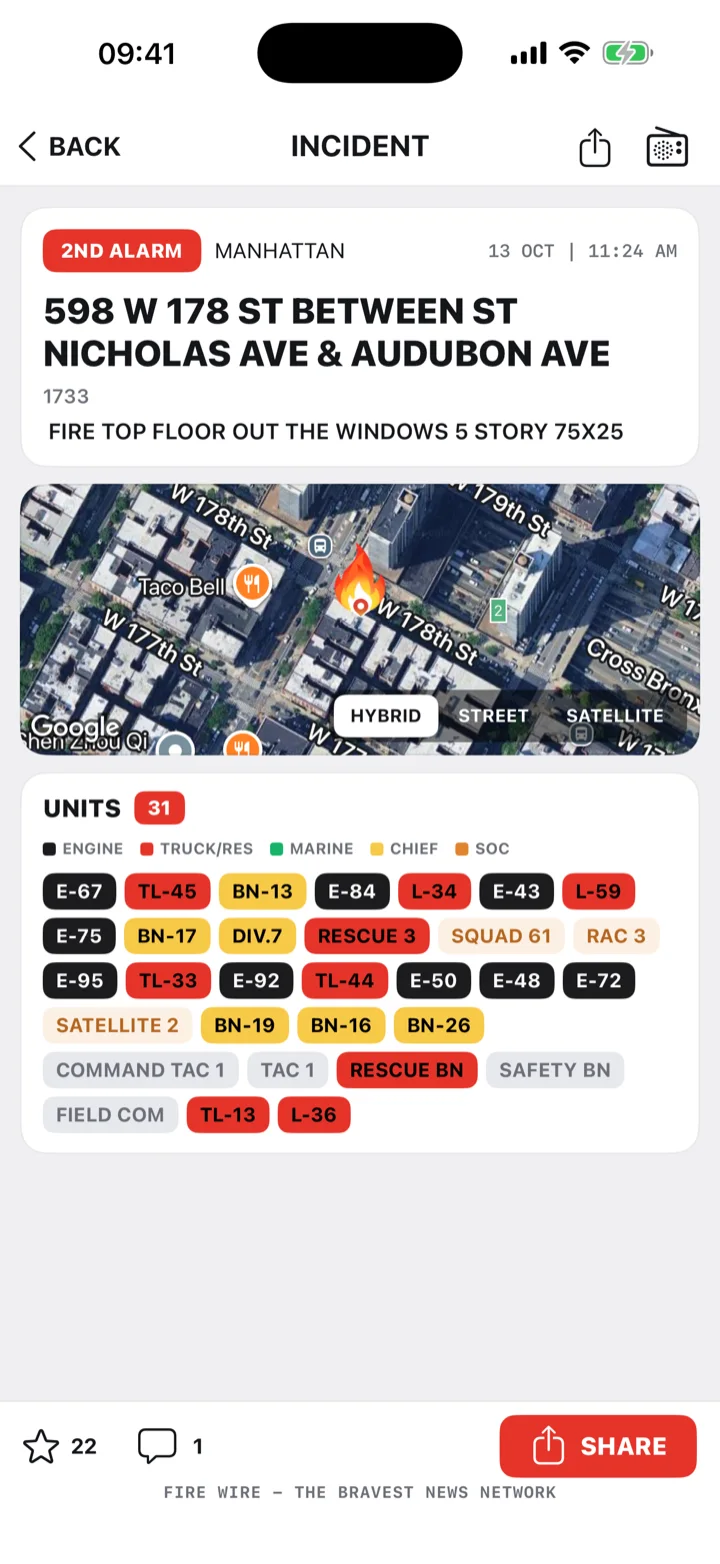
Free · in the app today
Everything you need to follow the job.
Incidents are posted as they happen by the Fire Wire team. Pick the areas you care about and the app keeps up with the rest.
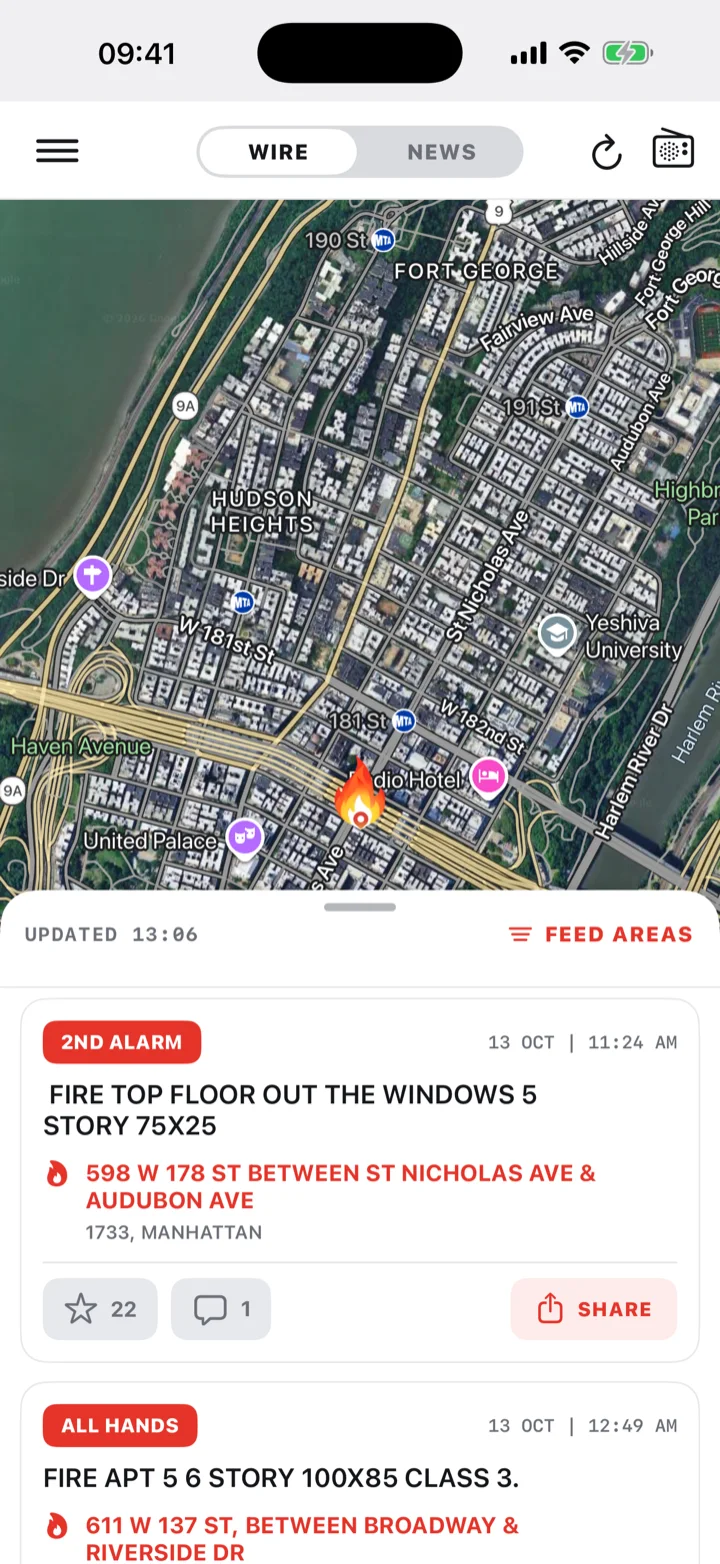
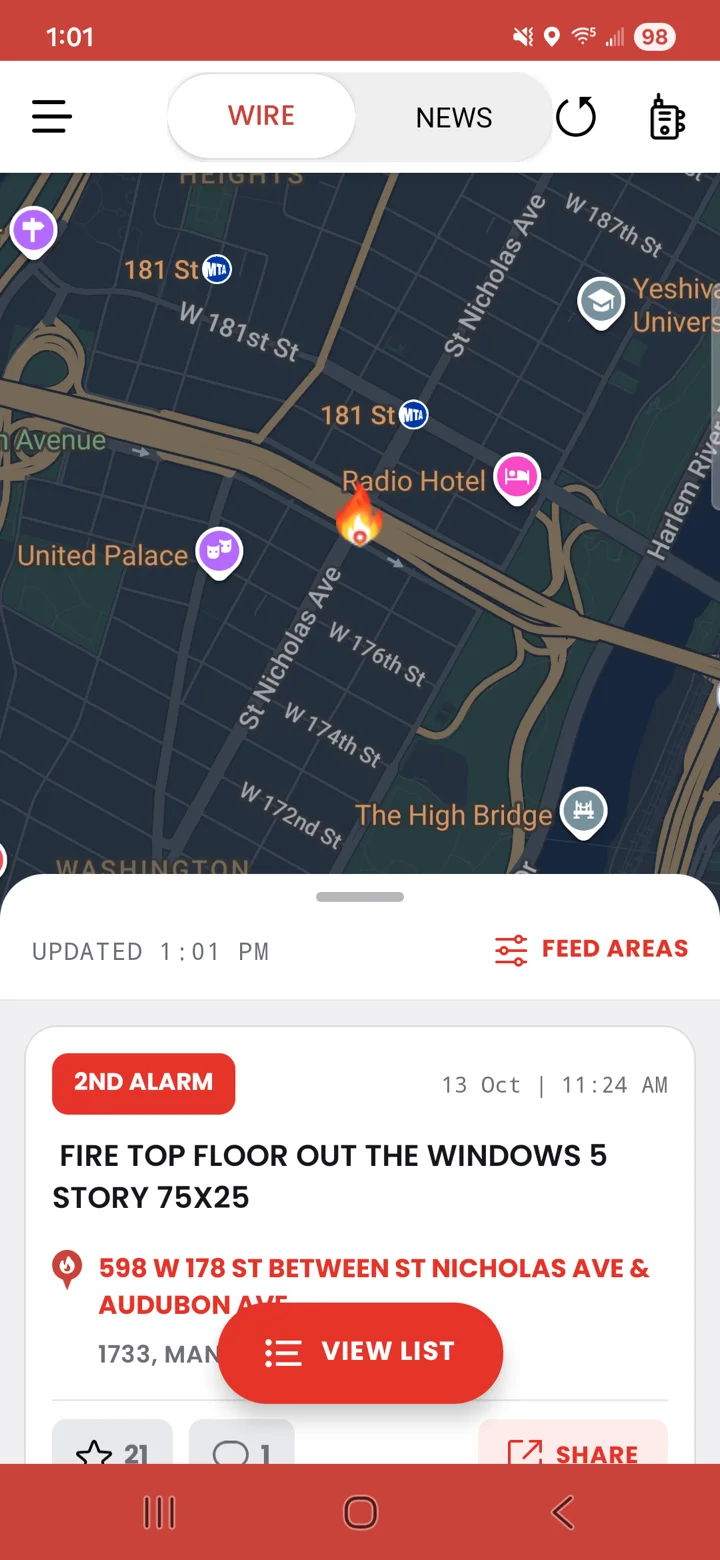
Live incident feed and map
Structure fires, all hands, multiple alarms, rescues, haz-mat and more, posted as they happen and pinned on the map.
Your areas, your alerts
Follow the boroughs and counties you care about and get push alerts only for those.
Every unit on the run
See the responding units, the address and the photo for each incident, with units color-coded by type.
Comments
Talk about the job with other members, right on the incident.
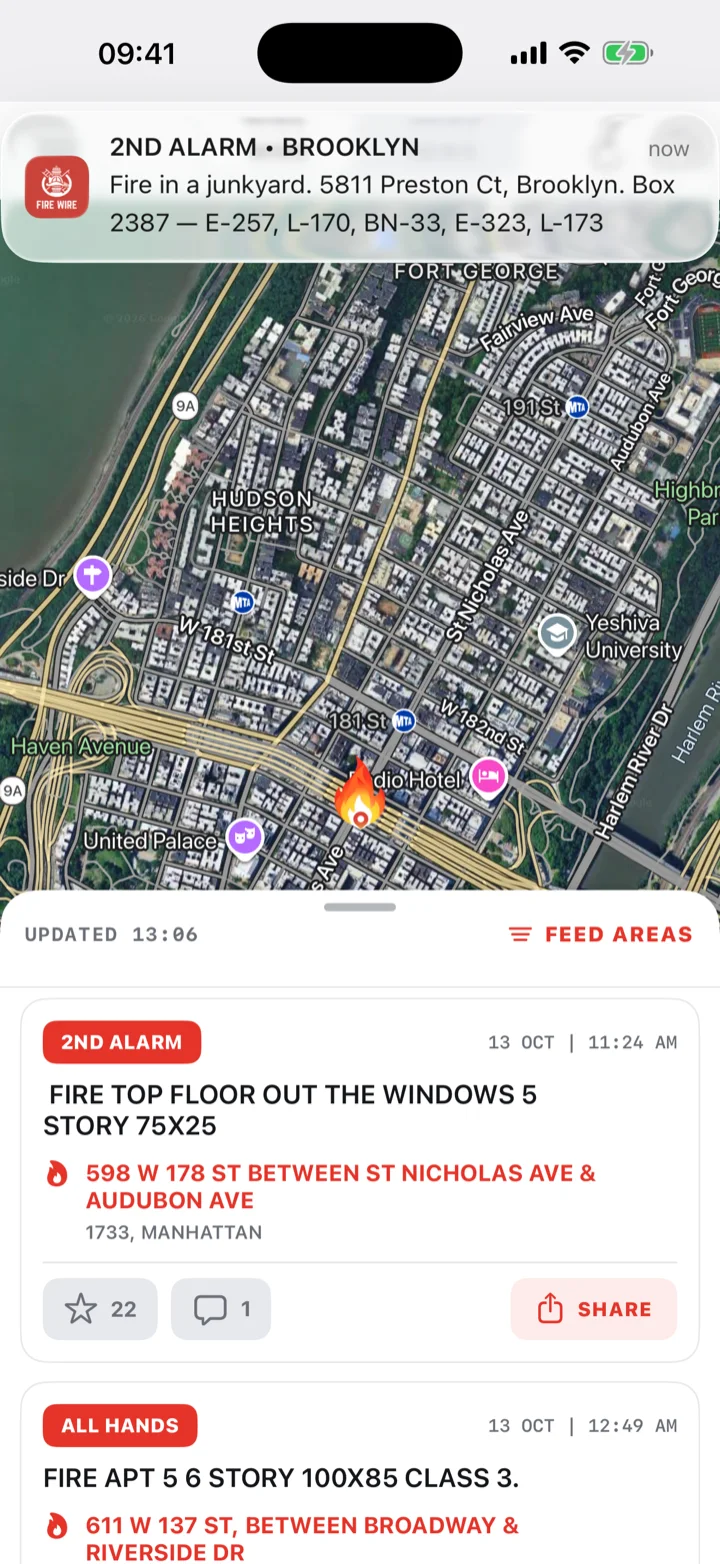
01 · Push alerts
Alerts for your areas.
The moment a job is posted, the alert lands on your lock screen with the alarm level, the address and the units assigned. No digging through a feed to find out what is going on.
- Alerts only for the areas you follow
- Alarm level, address and units in the notification
- Tap through to the incident, the map and the comments
02 · Incident detail
Every unit on the run.
Open any incident for the full picture: the address and box, a photo from the scene, a hybrid, street or satellite map, and every unit assigned. Unit chips are color-coded by type so you can read the response at a glance.
- Engines, trucks, rescue, marine, chiefs and special operations, each in its own color
- Like, share and comment on the job
- Updates as the incident grows
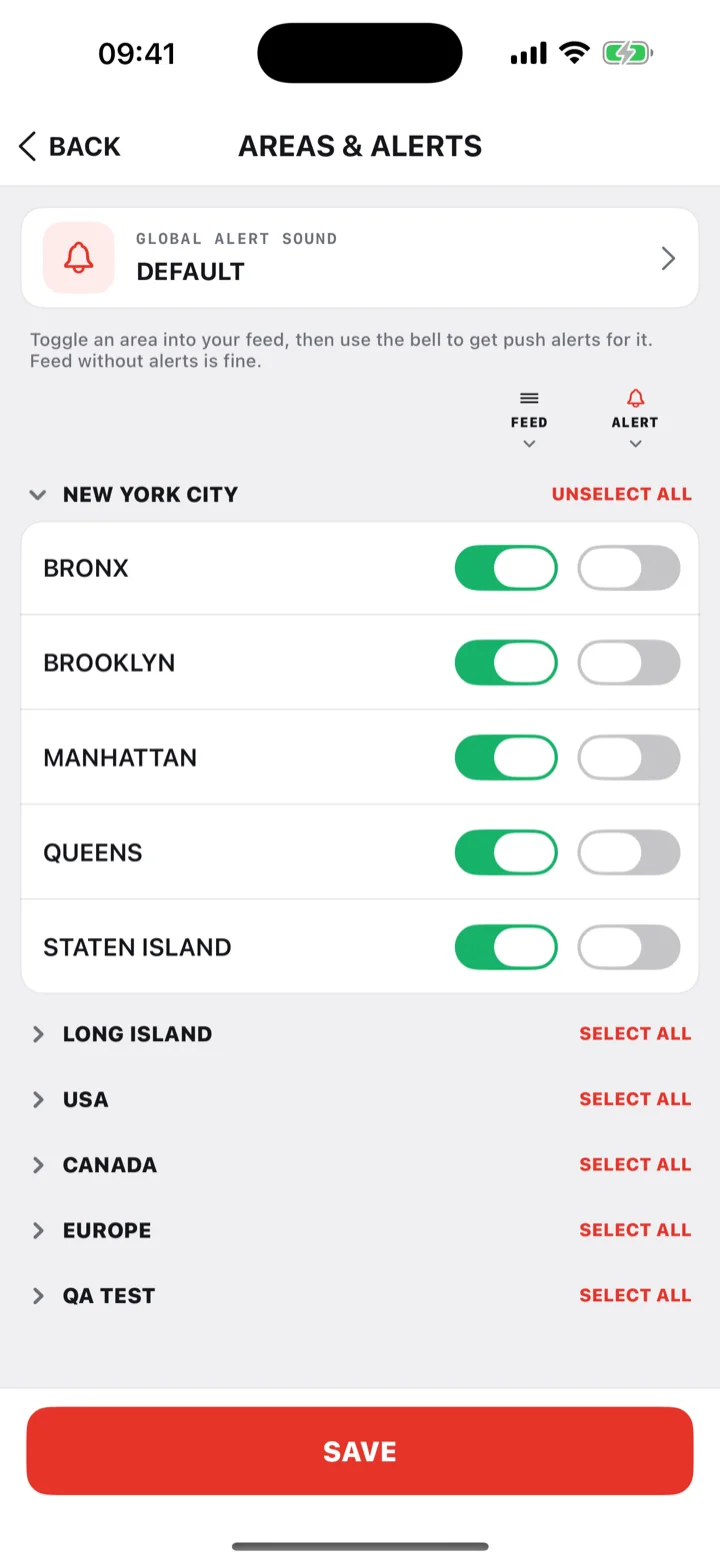
03 · Areas & alerts
Your areas, your alerts.
Toggle an area into your feed, then tap the bell to get push alerts for it. Follow a borough without the alerts if you just want to keep an eye on it. New York City is broken out by borough, with Long Island and more areas alongside it.
- Feed and alerts are separate switches for every area
- Pick your alert sound
- Change it any time from Areas & Alerts
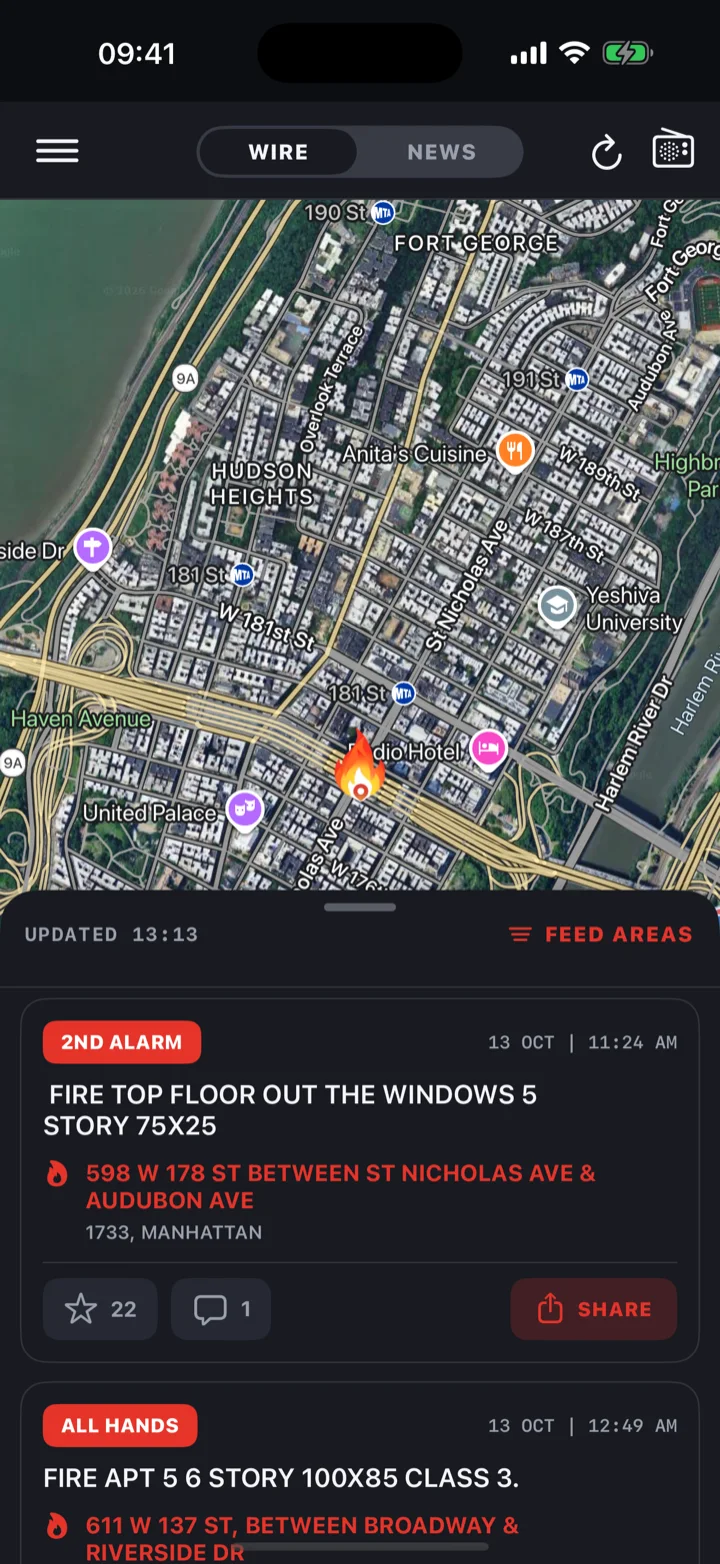
04 · Dark mode
Built for the night tour.
Dark mode, big type and a clean map built for use in the field. Everything you need is one tap from the home screen: the map, the feed, the scanner and your areas.
- Light and dark mode
- Expand the map to full screen
- Wire and News tabs in one place
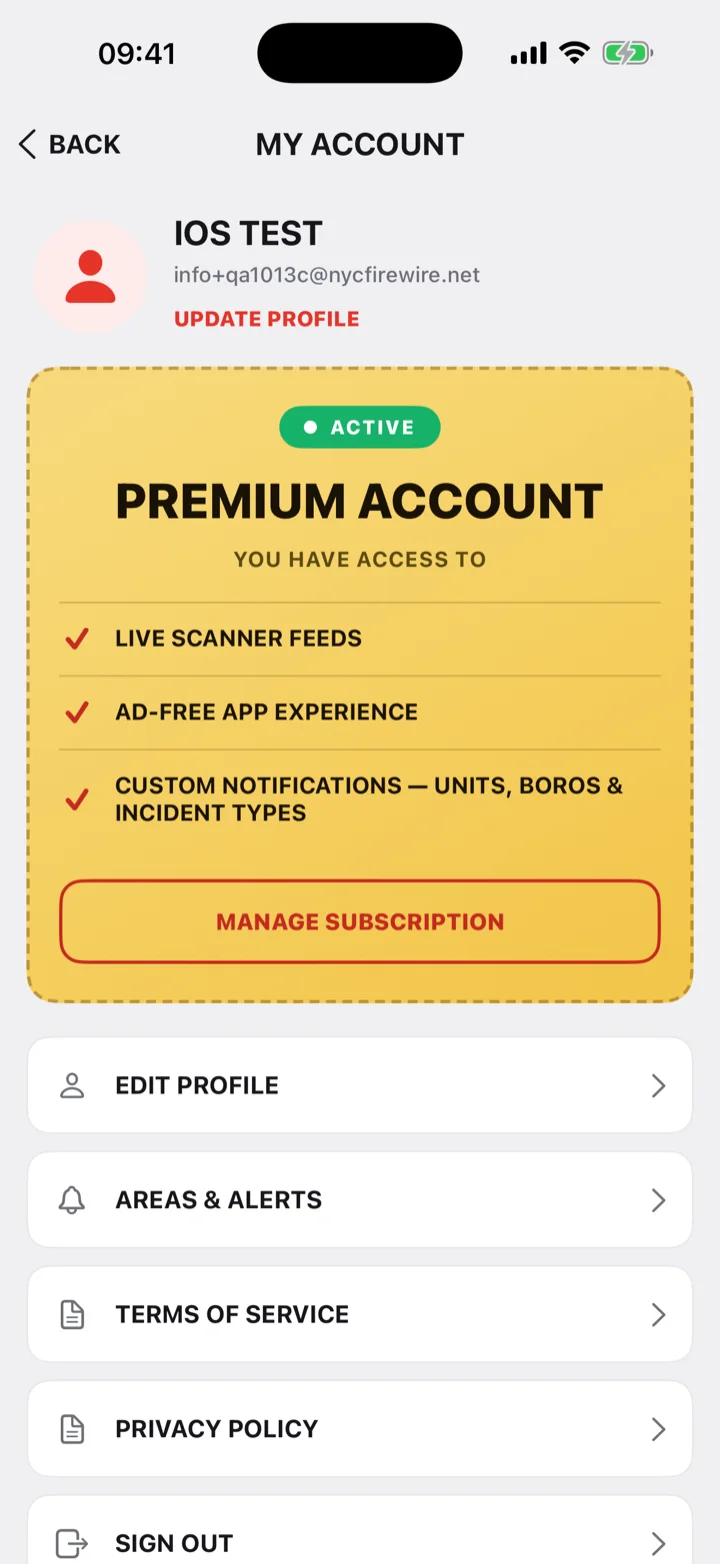
Premium
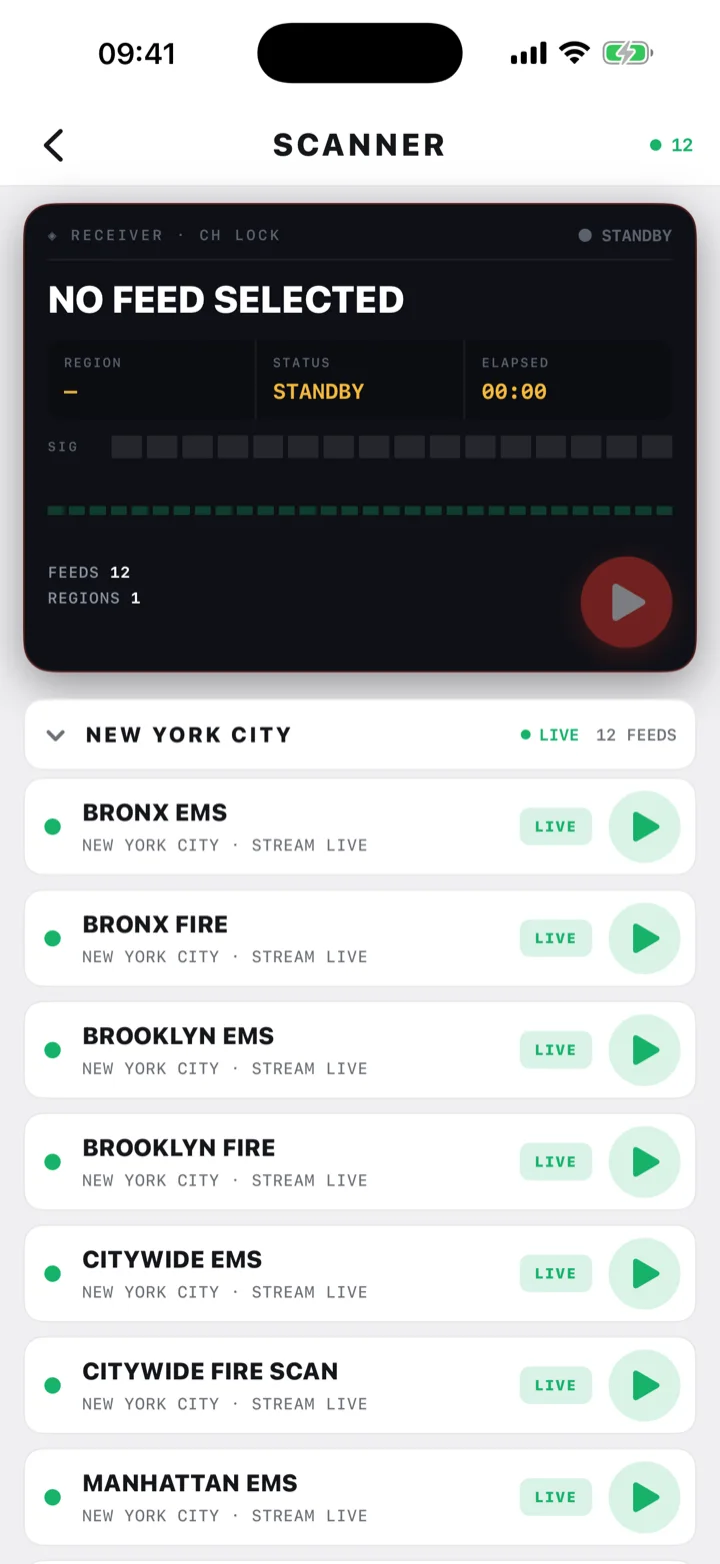
Live scanner radio.
Listen to live fire and EMS dispatch feeds for New York City straight from the app, borough by borough, with a citywide fire scan. Premium also removes the ads and unlocks custom notifications.
- Live scanner radio: Bronx, Brooklyn, Manhattan, Queens and Staten Island fire and EMS, plus citywide feeds
- Ad-free: nothing between you and the job
- Custom notifications: specific units, boroughs, incident types, and more to come
Relaunch offer: your first month of Premium is free with a code.
$5.99 per month · all of it
Subscribe inside the app · Billed by the App Store or Google Play · Renews monthly · Cancel anytime
Relaunch offer · limited time
One month of Premium, free.
Redeem a code and get live scanner radio, no ads and custom notifications free for your first month. After that Premium is $5.99 a month, and you can cancel anytime.
iPhone & iPad · New subscribers
Never had Premium?
Tap the button on your iPhone or iPad. The App Store opens with the code filled in.
FIREWIRE2026iPhone & iPad · Returning subscribers
Had Premium before?
Welcome back. This code is for members whose Premium subscription has lapsed.
FIREWIREBACKAndroid
On Android?
This code is entered inside the app, not in the Play Store. Install Fire Wire, open Menu › My Account, tap GET NOW, tap the arrow next to the payment method, choose Redeem code and enter the code.
F1REW1RE2026How it works: on iPhone, tap the link, confirm the free month in the App Store, then open the Fire Wire App and sign in. On Android, enter the code inside the app from My Account › GET NOW and confirm the free month in the Google Play sheet. Premium turns on for your account. If the app does not show Premium right away, open My Account and tap Restore Purchases.
One code per Apple ID or Google account · First month free, then $5.99/month until cancelled · Manage in your App Store or Google Play subscriptions
Download
Get the Fire Wire App.
Free on iPhone, iPad and Android. Built by first responders, for first responders.
Good to know
Subscription, support and your account.
Subscription details
Premium is $5.99 per month. On iPhone and iPad, payment is charged to your Apple ID at confirmation and the plan renews automatically unless cancelled at least 24 hours before the end of the current period. Manage or cancel in your App Store account settings.
On Android, Premium is billed monthly through Google Play and renews automatically unless cancelled. Manage or cancel in Play Store › Subscriptions.
Need a hand?
Trouble signing in, alerts not arriving, or a question about Premium? Use the app support form and include your device, app version and what happened. We are a small team of firefighters in New York and we read every message.
Want your area or your department’s radio covered? Reach out.
Your account and privacy
Read the Terms of Service and Privacy Policy. You can delete your account and its data at any time from the app, or by using the account deletion request.
Feedback
Questions, concerns, feedback? Let us know.
We love feedback and we are always monitoring your suggestions and questions. Tell us what you think, what you want to see next, or what is not working.